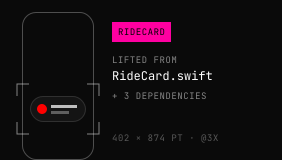
Your real view
The MCP lifts your actual SwiftUI view with what it depends on — not a re-creation.
ProKinetic — native motion for Apple platforms
Lift a real SwiftUI view from your project onto a 120Hz canvas, tune its springs and shaders with dials, and write the numbers back to your file — after you've seen the diff.
For Mac · macOS 14+ · founder price while the 50 seats last
What you export doesn't depend on ProKinetic. No player, no library, no lock-in.
The preview is the spring that ships — closed-form and frame-exact, not an approximation.
The agent edits things you can still touch: dials, layers and keyframes. Never a wall of code.
We kept reaching the same moment building interactions with AI: the diff looked promising, but there was no way to know whether the spring felt right without dropping out of the flow and running it.
So: more guesses, more prompts, more back-and-forth. Tuner is the tool we wanted beside our own agent — a native, tactile place to refine the part a model can't judge for you.
Give Claude Code or Codex an interaction task and tell it to open the result in ProKinetic.
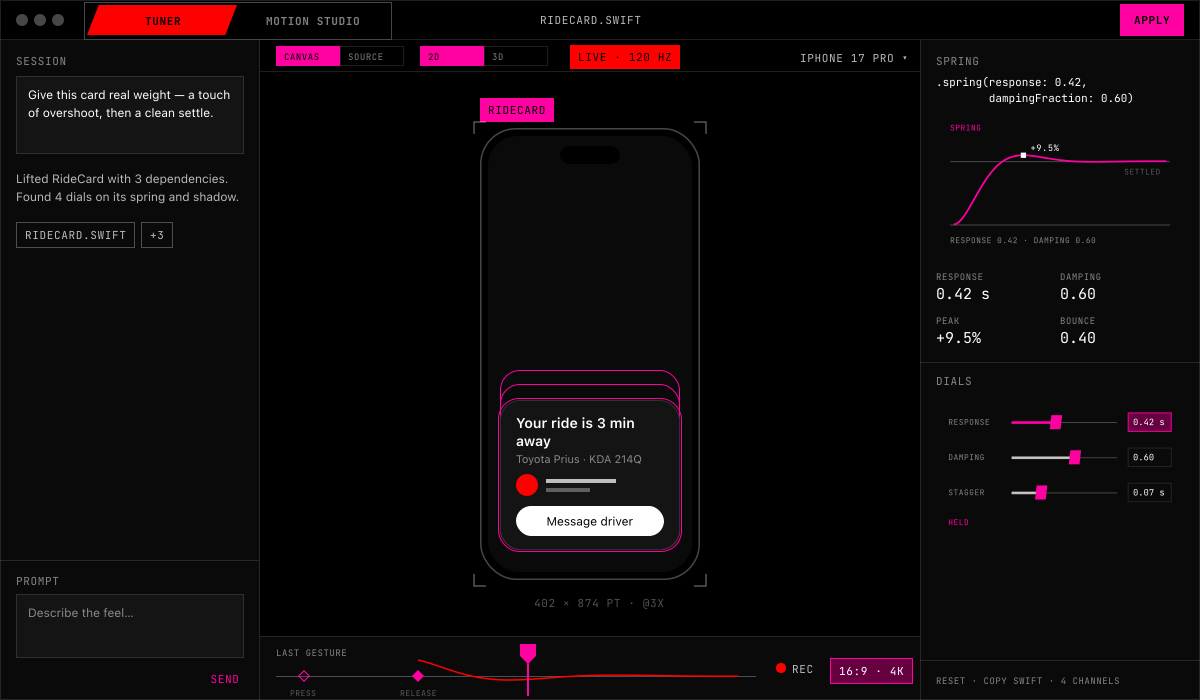
The MCP lifts your actual SwiftUI view and what it depends on onto a native canvas — not a re-creation.
Turn dials for spring response, damping and shader values, and feel every change on ProMotion.
Apply shows the diff first. Nothing is written to your file until you press Apply.
The MCP lifts your actual SwiftUI view with what it depends on — not a re-creation.
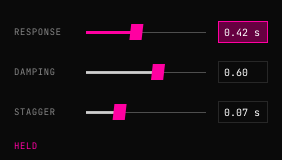
Every dial comes from the view's own animation values. Turn one; feel it at 120Hz.
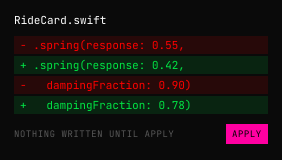
Apply shows the diff first. Nothing touches your file until you press Apply.
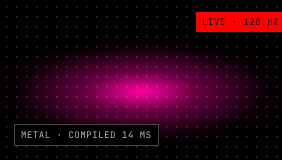
Shaders compile as you tune them, on the same canvas as the view.
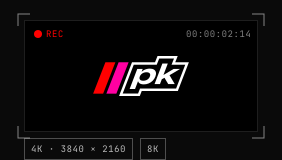
Record the tuned motion, gestures included, at the size of your launch.
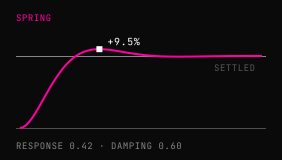
Closed-form springs, so the canvas, the export and Xcode agree.
Local-first: your project and every render stay on your Mac.
The same closed-form spring the app evaluates, ported to the page — the numbers mean what they mean in Xcode.
.spring(response: 0.42,
dampingFraction: 0.60)Closed-form, like the app's MotionChannelEval — not a guess at a duration.
An “Ask anything” bar that springs open into your agents.
Tune the response until the expand feels physical.
A Metal shader written by prompt and tuned on the canvas.
Video tools hand you a render to rebuild by eye. Runtime tools hand you a file your app plays through their library. Motion Studio hands you Swift source.
Render a video.
A video. Someone rebuilds it in code, by eye.
Ship a player.
A file your app plays through their library, for good.
Ship source.
Swift source in your repo. No runtime, no player file.
Bring finished SVGs from Figma or Illustrator. Paths, shapes, groups, fills, strokes and text arrive as layers.
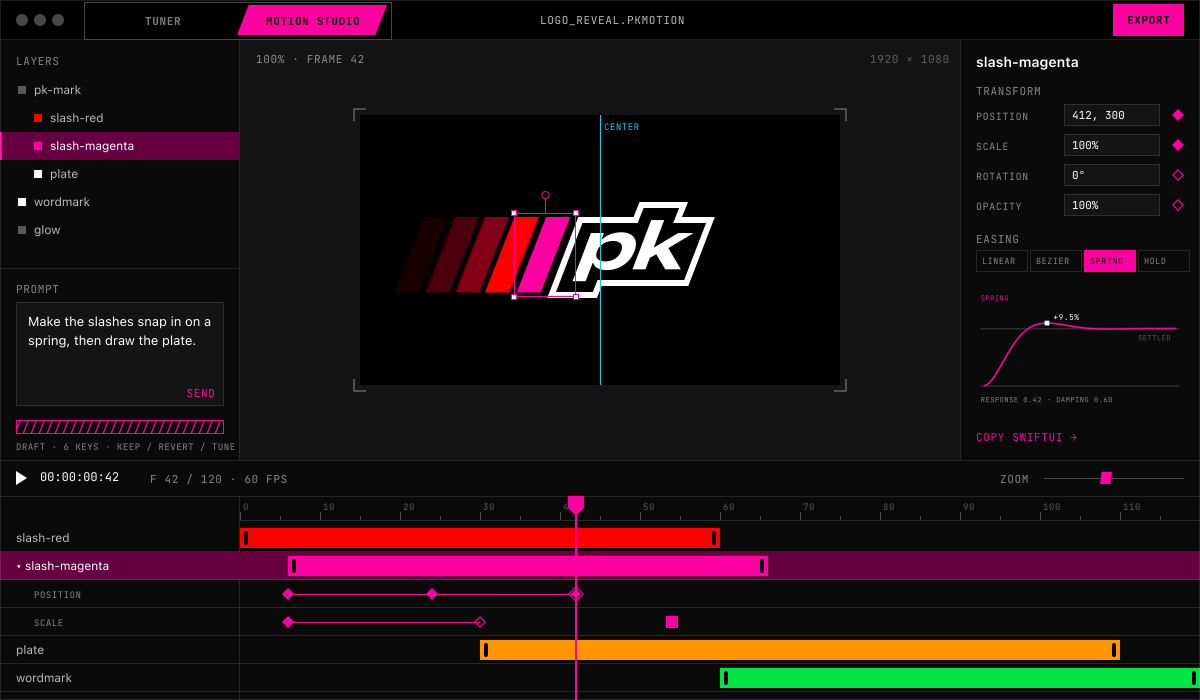
Keyframes on a timeline with real springs, curves, morphs, merges and stagger. Scrub it — it's frame-exact.
Idle, loading, done. A state graph with transitions you can interrupt anywhere — Simulate to try them.
Copy SwiftUI, save a Swift package, render 4K video — or let Claude Code ship it into your repo.
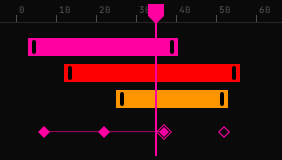
Keyframes, easing, a curve editor and onion skin — timed in frames.
The spring you preview is the spring that ships: response and damping, not a guessed duration.
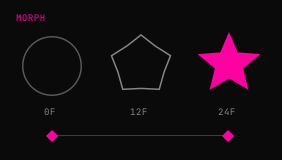
Morph, metaball merge, trim and travelling strokes, motion paths and stagger.
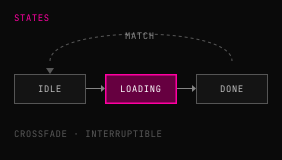
A state graph with crossfade, hold and match transitions, interruptible anywhere.
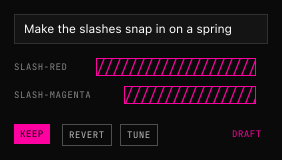
Describe it; get layers and keyframes back as a draft you keep, revert or tune.
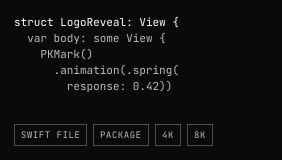
Copy it, save a Swift file, a folder or a Swift package — or render 4K and 8K video.
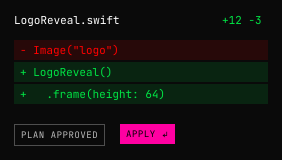
Claude Code writes it into your repo. You approve the plan and the diff first.
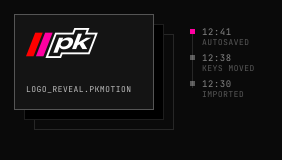
.pkmotion packages that autosave and keep their history.
It runs the same closed-form spring the app evaluates, so the numbers mean the same here as in Xcode.
import SwiftUI

struct LogoReveal: View {
    @State private var shown = false

    var body: some View {
        PKMark()
            .offset(x: shown ? 0 : -48)
            .opacity(shown ? 1 : 0)
            .animation(.spring(response: 0.42,
                               dampingFraction: 0.60),
                       value: shown)
            .onAppear { shown = true }
    }
}
The six comps of our launch film, Two Stripes — every frame of it made in Motion Studio.
Eased curves that only look right, against a spring you can feel.
The mark builds itself and splits into the two products.
Tune the spring by hand, replay a real gesture, take it as one line of Swift.
Drop in the SVG, key it on frames, ease it on a spring.
Shape motion on one track, then a prompt that hands back editable keys.
Out as Swift or as film — and the sign-off this film ends on.
Every licence has both products in one app. Switch with ⌘1 and ⌘2.
Animate your SVGs on a timeline with real springs, morphs and states.
⌘2It writes the view into your repo. You approve the plan and the diff first.
MCPLift the shipped view onto a 120Hz canvas and feel every spring in place.
⌘1Buying ProKinetic gets you Tuner and Motion Studio. Pay monthly, or buy it once and keep it.
Tuner and Motion Studio, with every future update — for one payment.
Founder pricing holds while the 50 seats last.
Or $29 a month, with a 14-day free trial. Tuner and Motion Studio either way.
Prices at launch. Every licence includes both products.
Monthly for a project. Buy once if you'll use it for ten months or more.
Anything else — ask us on X, @iosmumo.
Tuner tunes motion your coding agent already wrote: it lifts your real SwiftUI view onto a 120Hz canvas and gives you dials. Motion Studio designs motion from your SVGs on a timeline. Both hand you plain SwiftUI.
Yes, always. Every licence includes Tuner and Motion Studio.
Yes. One download — switch with ⌘1 and ⌘2.
No. Every dial, layer and keyframe works by hand. The agent features run through your own Claude Code or Codex session.
Plain SwiftUI for iOS 17 and macOS 14 or later. No runtime, no player file, no ProKinetic dependency.
A Mac on macOS 14 Sonoma or newer. Built for ProMotion 120Hz; it runs on any Mac.
On X — @iosmumo (x.com/iosmumo).
Feel it.
Shape it.
Ship it.
Founders get both products and every future update for $97, while the 50 seats last.
For Mac · macOS 14+ · 14-day money-back guarantee